
WordPress Training & Support
5 benefits WordPress training & Supportcan bring a company
Gain the skills to do more on your website with WordPress training or get Wordpress support to set up the functionality you crave!

upskill
5 reasons to get one-on-one WordPress training
Investing in WordPress training from a professional Wordpress developer that specialises in WordPress provides numerous benefits:
1
Speed
Quickly get answers to any questions you have about managing your website
2
Savings
Quickly get answers to any questions you have about managing your website
3
Customised
Online courses are not tailored to your specific needs or theme.
4
Collaboration
Build a relationship with a designer to whom you can entrust the more complex tasks
5
Guidance
A strategy enables bigger, better campaigns because you can zone in and plan how to push your core content.
WORDPRESS FOR MARKETERS
Marketing professionals responsible for strategy development and implementation can learn how to effectively manage website content and track analytics.
Who WordPress training suits
WordPress training is suitable for anyone who is responsible for managing a website and wants to improve the functionality, design, and overall user experience of that website, as well as increase its security and SEO.
Marketing
executives
Marketing professionals responsible for strategy development and implementation can learn how to effectively manage website content and track analytics.
Office
managers
Office Managers who manage a company's website find WordPress training helps them to gain confidence in effectively updating and maintaining the website without needing to hire an expert each time.
Self-employed
business owners
Busy business owners use a website as a key tool for promoting their products or services need to know how to make changes and updates quickly and add ecommerce options and integrations.
Web
Administrators
Web Administrators – if it’s been a while since you worked on a WordPress site, you may need some refresher training or to upskill in new features you can then implement on your company’s website.
Types of WordPress Support Requests
Eyebrow heading
The following are examples of common Wordpress support requests
- Adding extra location, adding dot to location maps
- Making pages render better on mobile
- Checking why you are not receiving form enquiries
- Making phone numbers clickable
- How to speed up your site
- How to invite new users
- Changing the email address a form goes to
- Adding new ecommerce products or categories
- Formatting spacing
- Installing additional rotating banners with promotion messages
- Updates to Meet the team page
- Adding action buttons
- Adding new forms
- Adding extra location, adding dot to location maps
- Making pages render better on mobile
- Checking why you are not receiving form enquiries
- Making phone numbers clickable
- How to speed up your site
- How to invite new users
- Changing the email address a form goes to
- Adding new ecommerce products or categories
- Formatting spacing
- Installing additional rotating banners with promotion messages
- Updates to Meet the team page
- Adding action buttons
- Adding new forms

Eyebrow heading

- Adding a new section or repeating section
- Setting up enewsletter plugins
- Where to find WooCommerce automated emails
- Add social media buttons e.g. Instagram feed, Facebook
- Add new column or additional menu items or second menu
- Load in videos from YouTube
- Add awards and testimonials
- Format testimonials as reviews with star ratings
- Adding blog module
- Add extra links and action boxes.
- How to put meta details in
- Change background styling of tables.
- Add fields to forms
- Add ability for enquiry form to be sent to different people based on drop down location choice
Web Audit
Website assessment against our 60 point checklists for websites that have 5 pages, 6-20 pages & 21 pages
$500, $1597 or $2,500 + GST
What’s included:Web advice services
6-month program to improve website content and performance
$1000 deposit. $500 p/mth *6 mth retainer
What’s included:Wordpress Support
Company size: 1-5 staff. A deep dive into working out what the issues are, and fixing the issues for you or staff training.
$190 per hour +GST and $25 booking fee. Min block 5 hrs
Wordpress support
Company size: 6+ staff. A deep dive into working out what the issues are, and fixing the issues for you or staff training.
$250 +GST per hour plus $25 booking fee.
WORDPRESS SERVICES
WordPress Training Process
The training session is tailored to your needs and goals, and provides an opportunity for you to ask questions and receive personalised attention. Sometimes it turns out your platform is too old to warrant doing major changes to. In that case, you can request a quote to have your site rebuilt in Oxygen Builder for WordPress. Clients who build and host WordPress sites with us can get support on an as-needs basis. We do these updates at a reduced rate, as our programmer finds it much faster and more efficient to work in more current versions of WordPress.
1
Website check-up
Get in touch with one of our friendly account managers and describe what you’d like help with. If our programmer is confident he can help (there’s not much in Wordpress he can’t do), the WordPress training process begins. Our programmer needs access to the back end, conducts a quick website check to assess the current version, and identify any areas that need urgent attention before you make any changes (e.g. if your site hasn’t been updated for a while, it’s worth being on the latest version of your theme).
2
Training scheduled
After the initial check, a one-on-one training session is scheduled, either in person if the client is in Christchurch or through a Zoom call for remote clients. If you are not an Alexanders client already, typically this is for a block of 4 hours. The training is tailored to your level of digital savviness. Our programmer will let you know things that are good for you to do, and the things that are best left to a programmer to do
3
Customised training
During this session, the trainer will work with you to address any specific requests and provide guidance on how to make the layout or style updates you are after. We can also show you how to use rank math and Yoast for SEO.
4
Regular support enabled
When you need help, you can email our Wordpress programmer with a screenshot. He will either make a time or email you instructions with screenshots. These requests are put against your initial block of support.
5
Further training
When your initial block of time is used up, you can order another block. Existing clients simply get invoiced on a time-spent basis for the time it took to investigate and deliver the solution.
WORDPRESS DEVELOPER
Meet your WordPress Trainer
Eyebrow heading
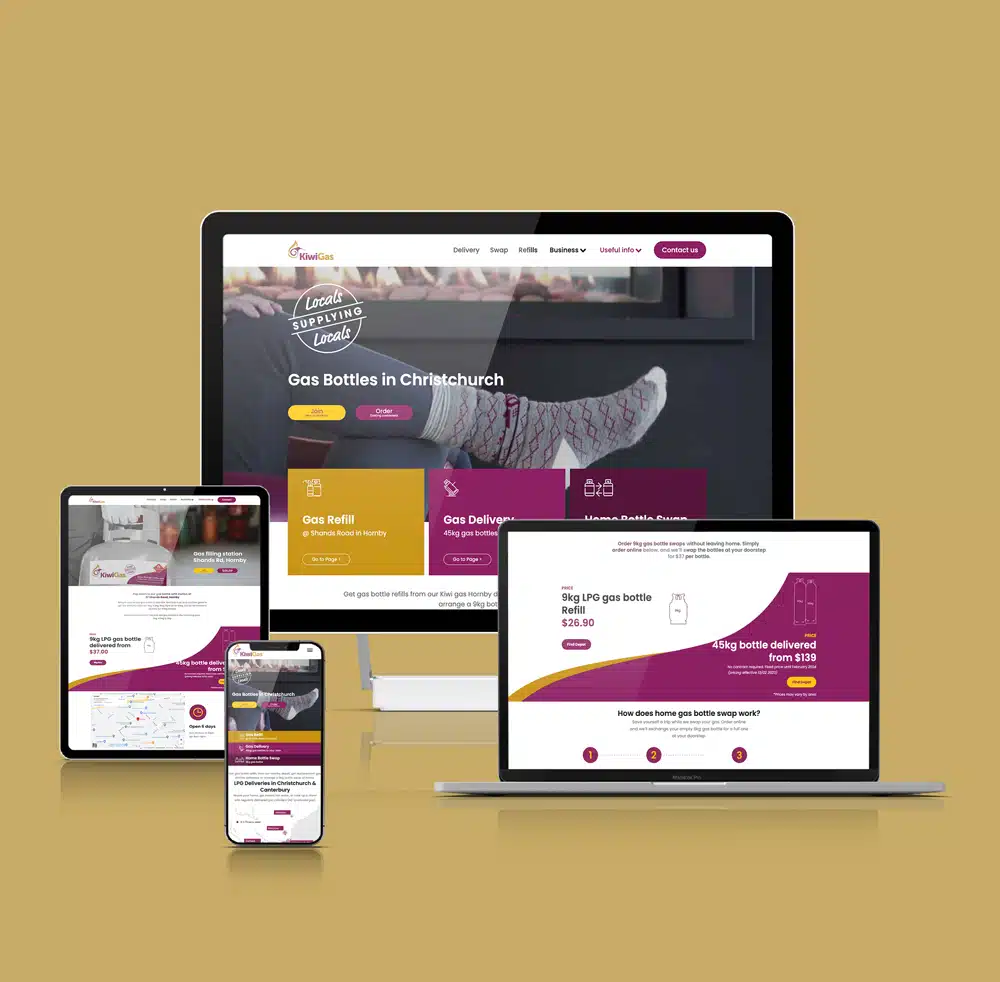
With over 20 years of experience, our senior programmer is a WordPress expert and website wizard who's been wowing clients with his incredible support and easy to follow screenshot training notes.

Eyebrow heading
OXYGEN FOR WORDPRESS
Oxygen builder training manual
Oxygen Builder is a Wordpress website building tool that allows users to create custom WordPress websites that load really quickly and help you rank because they are so fast. It is a powerful tool that allows for complete control over the design and layout of a website.
Our Oxygen Builder Wordpress training manual can be helpful for users of Oxygen to understand the full range of features and capabilities of the tool, as well as to learn best practices for using it effectively.
This training manual is a comprehensive guide for both beginners and experienced users, to understand the basics of Oxygen Builder, how it works, how to use it to create custom designs, and how to troubleshoot any issues that may arise.
We are in the process of setting up our e-commerce functionality in the meantime please click the button below to make contact with us to buy the manual.
$35 NZD Our Oxygen Builder Wordpress training manual can be helpful for users of Oxygen to understand the full range of features and capabilities of the tool, as well as to learn best practices for using it effectively.
This training manual is a comprehensive guide for both beginners and experienced users, to understand the basics of Oxygen Builder, how it works, how to use it to create custom designs, and how to troubleshoot any issues that may arise.
We are in the process of setting up our e-commerce functionality in the meantime please click the button below to make contact with us to buy the manual.
to purchase
WORDPRESS SUPPORT COST
How much does WordPress training & support cost?
$15 booking fee plus rates below:
Tier 1: Company size: 6+ staff
NZD$250.55
+ GST /hr per person
Tier 2: Company size: 1-5 staff
NZD$190.00
+ GST /hr per person
Why choose
Alexanders?
No one should have to feel unsupported when your web developer won’t respond to requests on how to do simple edits.
Say goodbye to the frustration of not being able to work out how to do what you want on your WordPress site.
Why pay for a website designer to do simple edits you could be doing yourself?
Get WordPress training and support so you can do edits whenever you want with confidence. Step up to better support with Alexanders.
Reviews

Thanks for all your help, Rachel. We are really happy with the results. I have a made a couple of minor wording changes which I found easy enough to do which was a relief and has given me confidence that I will be able to tweak things as we go along!
Anna Elliot
Whites Traffic Management
With a team of friendly internet marketing guru’s, help is never far away in terms of assistance with website back end issues, populating pages, bug fixes, recommendations and support.
Rebecca Wylie
Marketing Executive, VetEnt
Make your next impression count.
Take action.
Raise your game.
BOOK A FREE CONSULTATION CALLBook a 20 minute no-obligation introduction call to share where you are at, explore your specific needs, and to discuss if and how Alexanders might help you.
